Use case
One question, a market laid out in a table.
Ask in plain language. Freelvy reads more than 60 live data sources and returns a structured table you can use to study a market, prepare a meeting or build a list.
7-day free trial, no card.
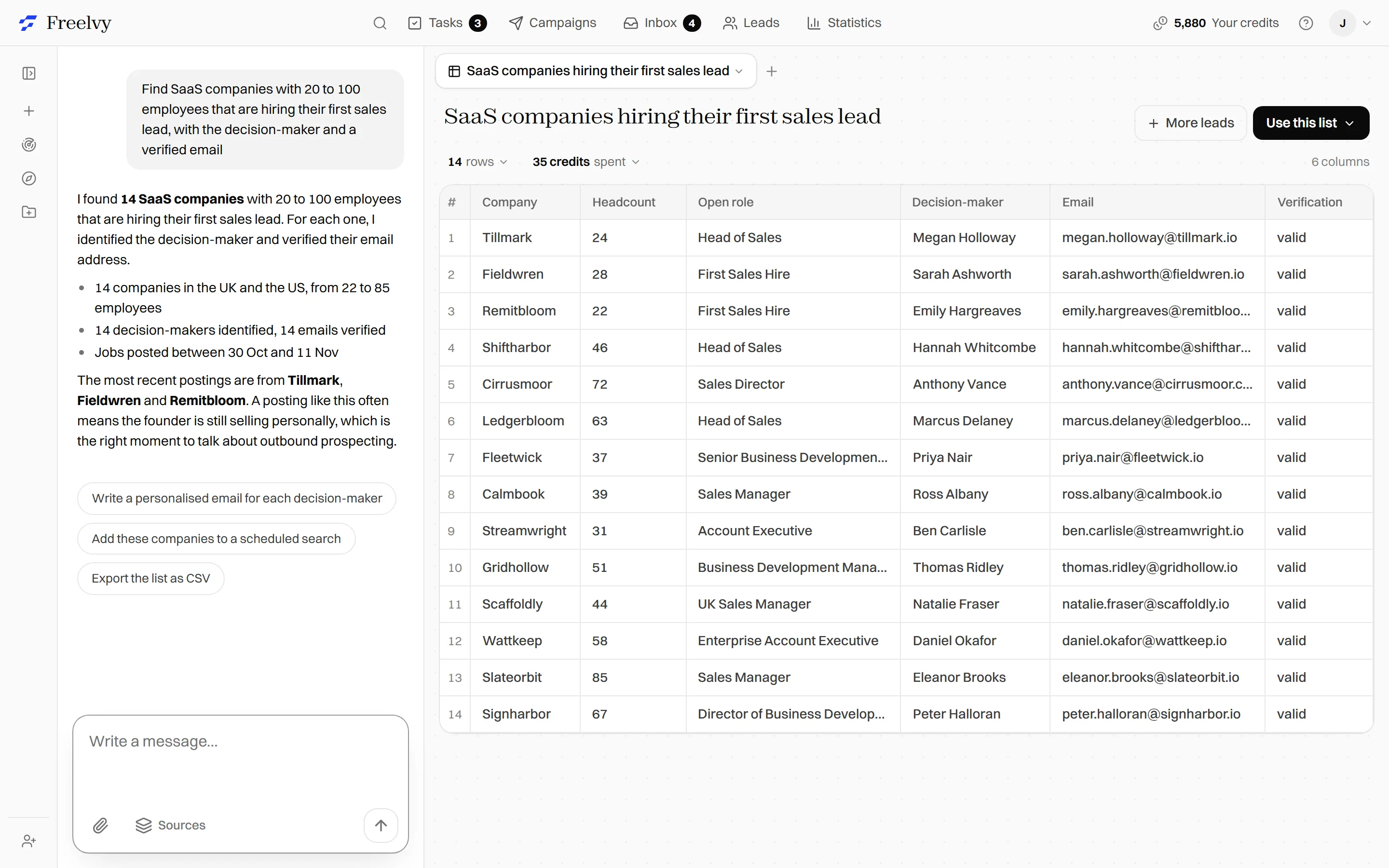
From question to table in four steps
The families of sources Freelvy reads
Official registries
Legal status, activity code, creation date and legal representatives.
The web
Company websites, press and public pages read at the time of your question.
Job posts
Open roles that reveal priorities, growth and the tools in use.
Technology stack
The tools a company publicly runs on its site and in its job posts.
Advertising
What a company publishes in public ad libraries.
Social networks and maps
Public posts and places on Google Maps, with category and rating.
Competitors and market
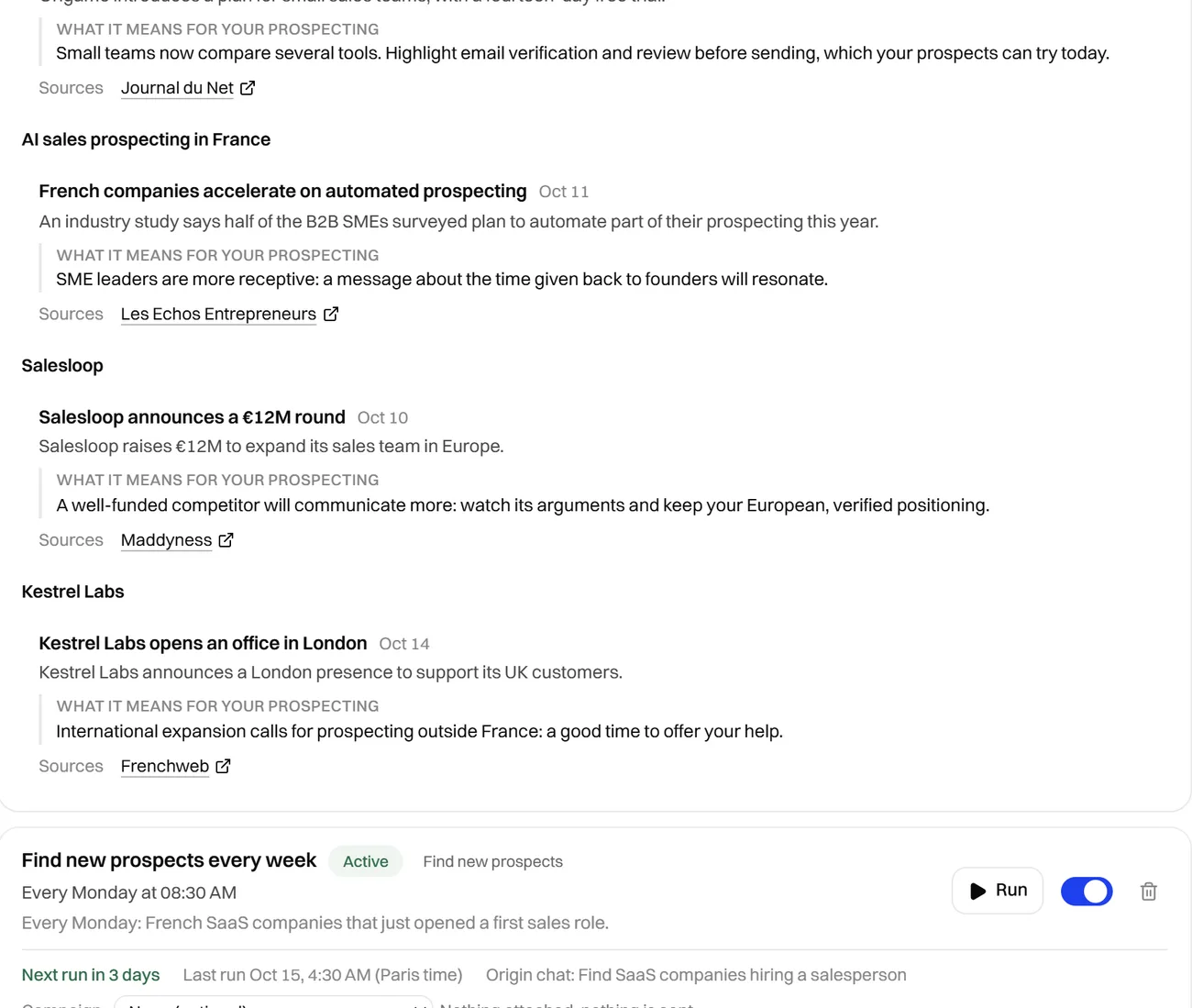
Track your competitors, map your market
Freelvy follows your competitors on its own and lays out a market on request, from the same sources.
Their customers
The customers a competitor names publicly, listed in one table.
Their pricing and hiring pages
Freelvy follows the pricing, team and jobs pages of your competitors and flags every change.
Their reviews
What users praise and criticise about competing software, summarised each week.
Their ads
The active ads of a competitor on Meta, Google, LinkedIn and TikTok, with their messages summarised.
Size a segment
Headcount and its change for each company of a segment, to see where it grows.
Map the players
The apps of a category, recent launches, tender buyers and winners. The players of a field in one view.
Two ways to ask
- >Who are the customers named by [competitor] on its website?
- >Alert me when [competitor] changes its pricing page.

One question, from start to finish
- 1
The question
A consultant preparing a meeting with a 40-person SaaS company in Lyon asks what the company publishes and who works there.
- 2
The reading
Freelvy reads the registry, the website, the job posts and the public posts of the company.
- 3
The table
A row per topic with the answer and its source: legal status, size, open role, offer, leader.
- 4
The use
The consultant opens the meeting with precise questions and keeps the table as a reference.
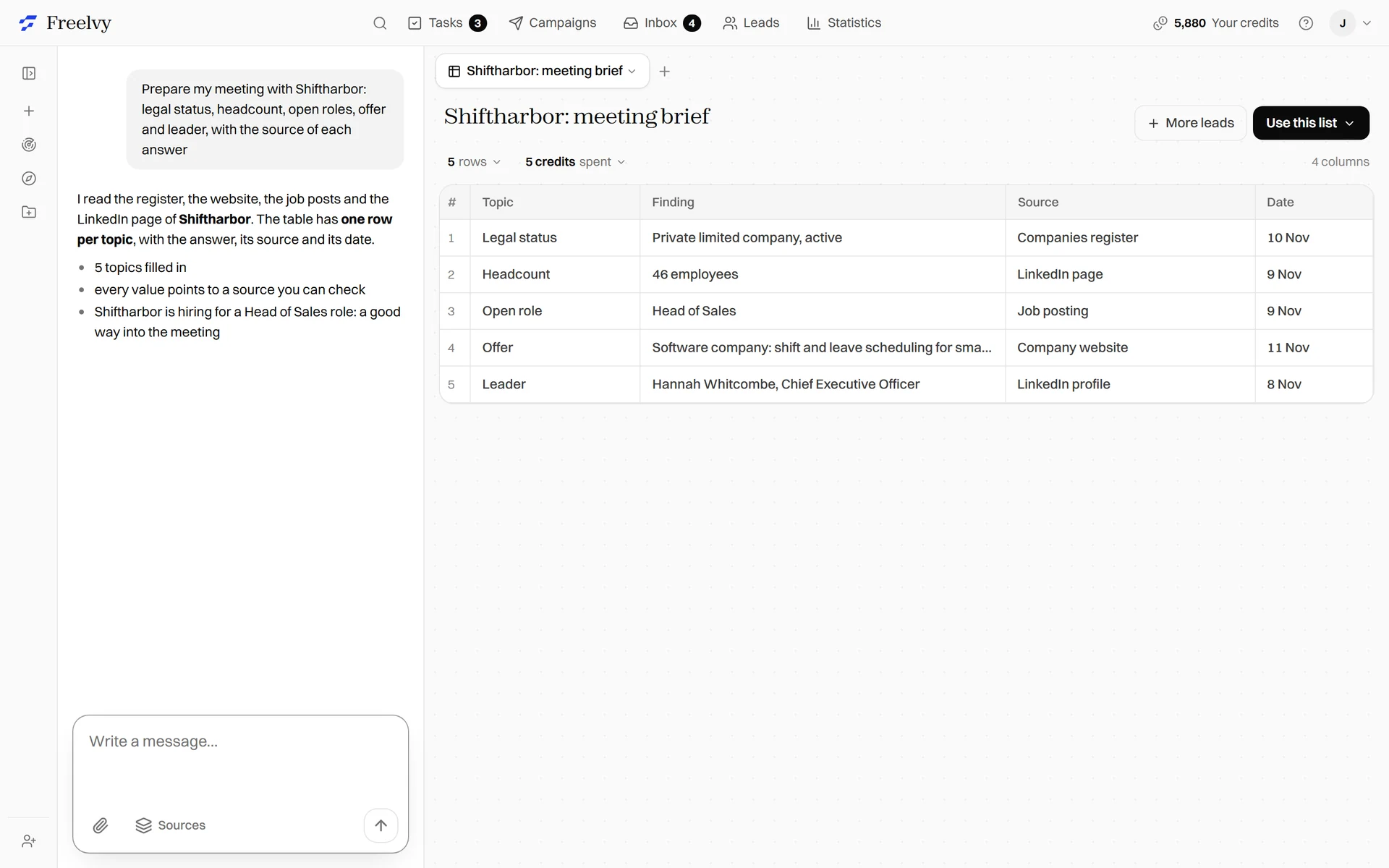
Example, fictional company.
60+
live data sources read when you ask
Registries
official company registries included
Playbooks to go further
- Prospecting and salesMeasure the coverage of my marketHow many companies match your target, and how many are already in your CRM or campaigns.>Count the [size] companies in [sector] in [country]. Tell me how many are already in my CRM or campaigns, and how many are left to approach.
- Prospecting and salesBuild a list of companies by size, sector and countryThe classic list: you describe your ideal customer, Freelvy finds the companies.>Find me [20] companies in [sector] in [country] with [10 to 200] employees. Find the decision-maker [title] and their email, then prepare a campaign.
- HiringMap competitors' hiringKnowing where competitors hire reveals their priorities and talent needs.>Track the job postings of these competitors [list] and summarise each week the roles they open.
Questions we get asked
What can I ask?
A market, a list of companies, a competitor or a single account. If the question can be answered from public sources, Freelvy can build the table.
Where do the answers come from?
From more than 60 live data sources, read when you ask. Each value stays linked to its source.
Can I turn the table into a prospect list?
Yes. You can add decision makers with emails found and verified and phone numbers found.
How can I try it?
The free trial lasts 7 days and includes 200 credits, with no credit card.
7-day free trial. No credit card
Ask your first market question.
Describe the customer you want. Freelvy searches the live web, verifies every contact and writes the sequence, you approve the angle, then it sends on autopilot or waits for your go on each message.