AI sequencing
Email and LinkedIn outreach written for every lead
Freelvy researches each prospect, writes the message, runs the email and LinkedIn steps from your own accounts and sorts the replies for you.
7-day free trial, no card.
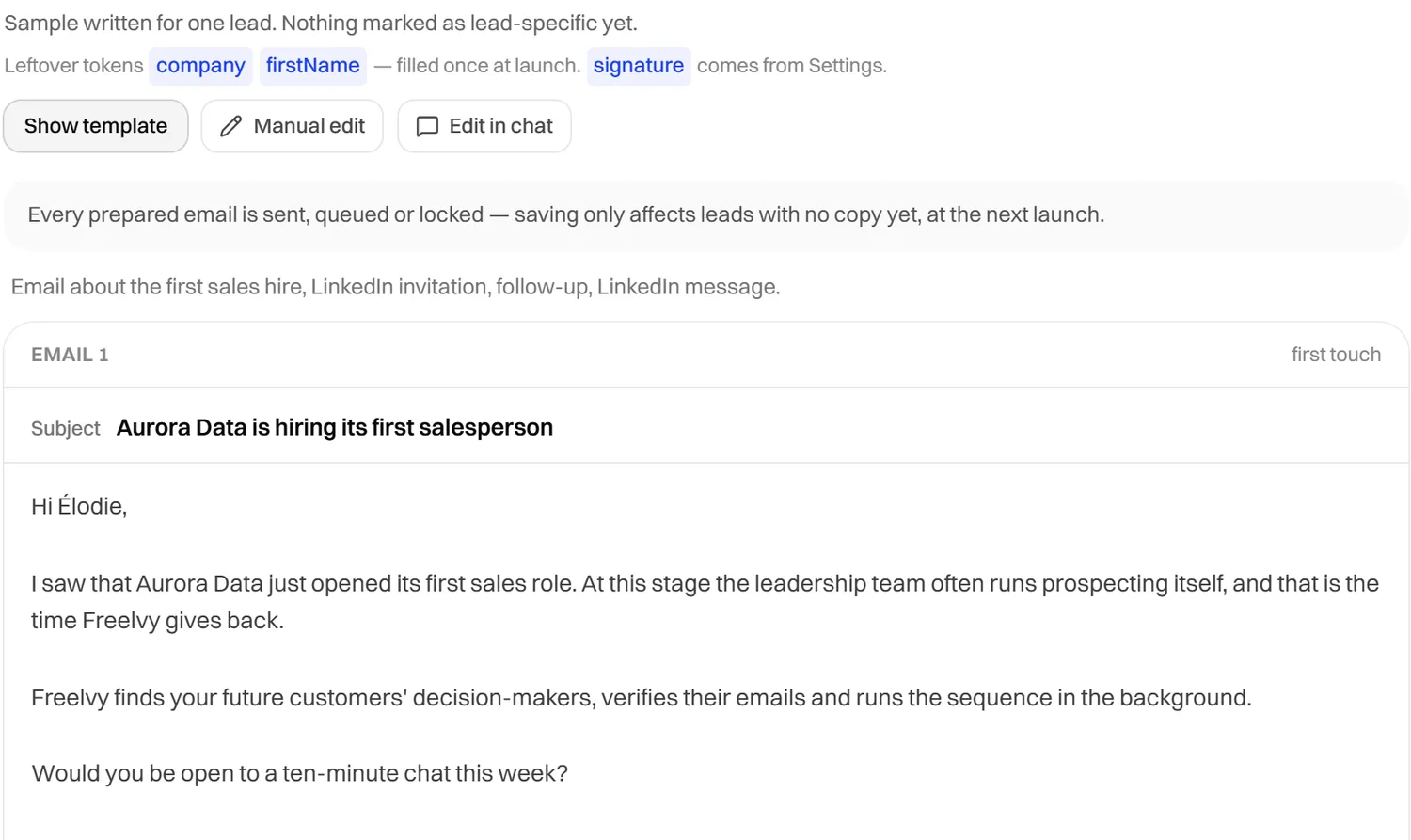
One sequence, two channels
Combine email and LinkedIn steps in one sequence, with as many sequences as you need.
D0
Email
First message
D1
LinkedIn
Profile visit
D3
LinkedIn
Invitation
D5
LinkedIn
Message
D7
Email
Follow-up
The sequence stops as soon as the lead replies
Written for each lead, approved by you
Every message is written from the research on that prospect. The sentence written just for them is highlighted, and nothing goes out before you approve it.
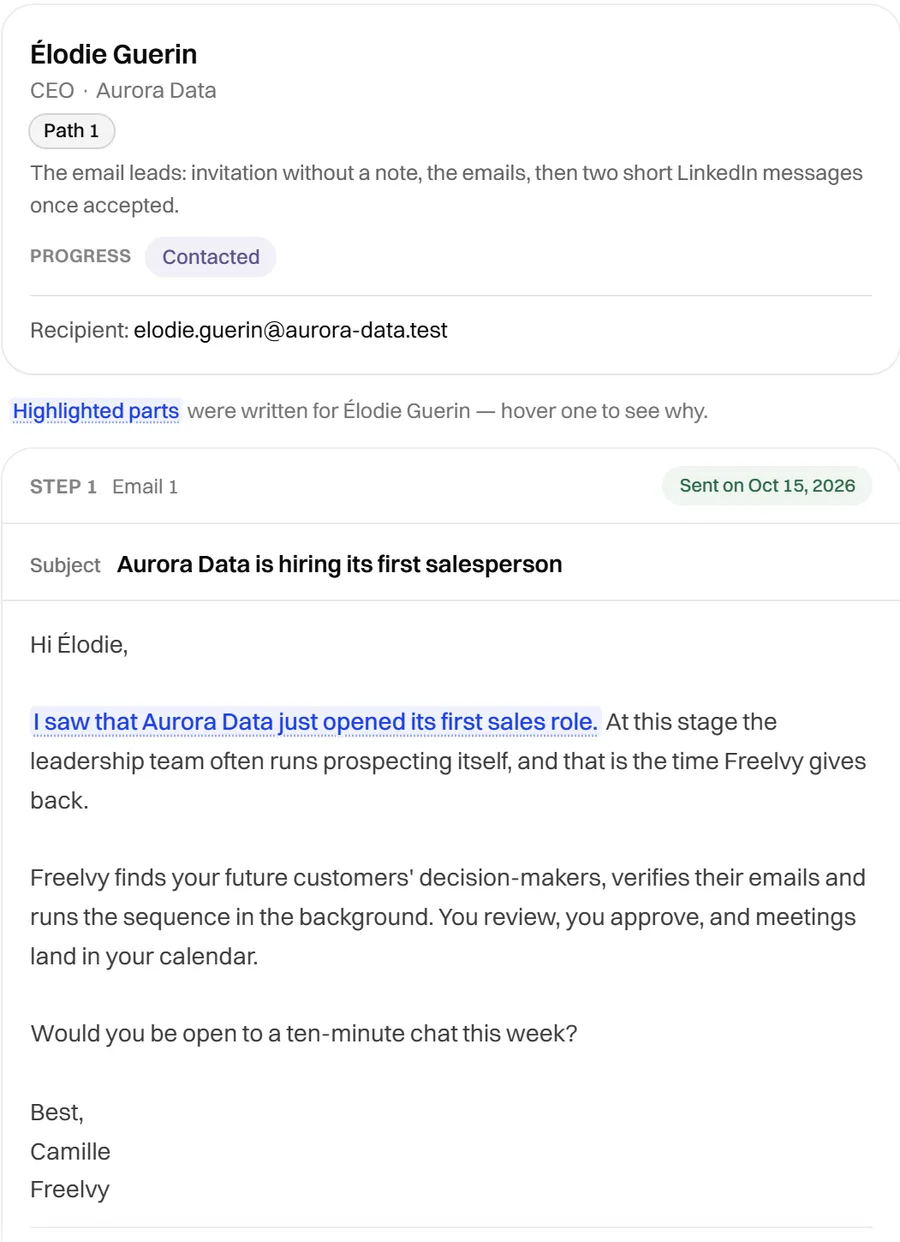
LinkedIn steps in the same sequence
An invitation without a note, then a short message once it is accepted, planned right after the emails. Each step shows its delay and its status.
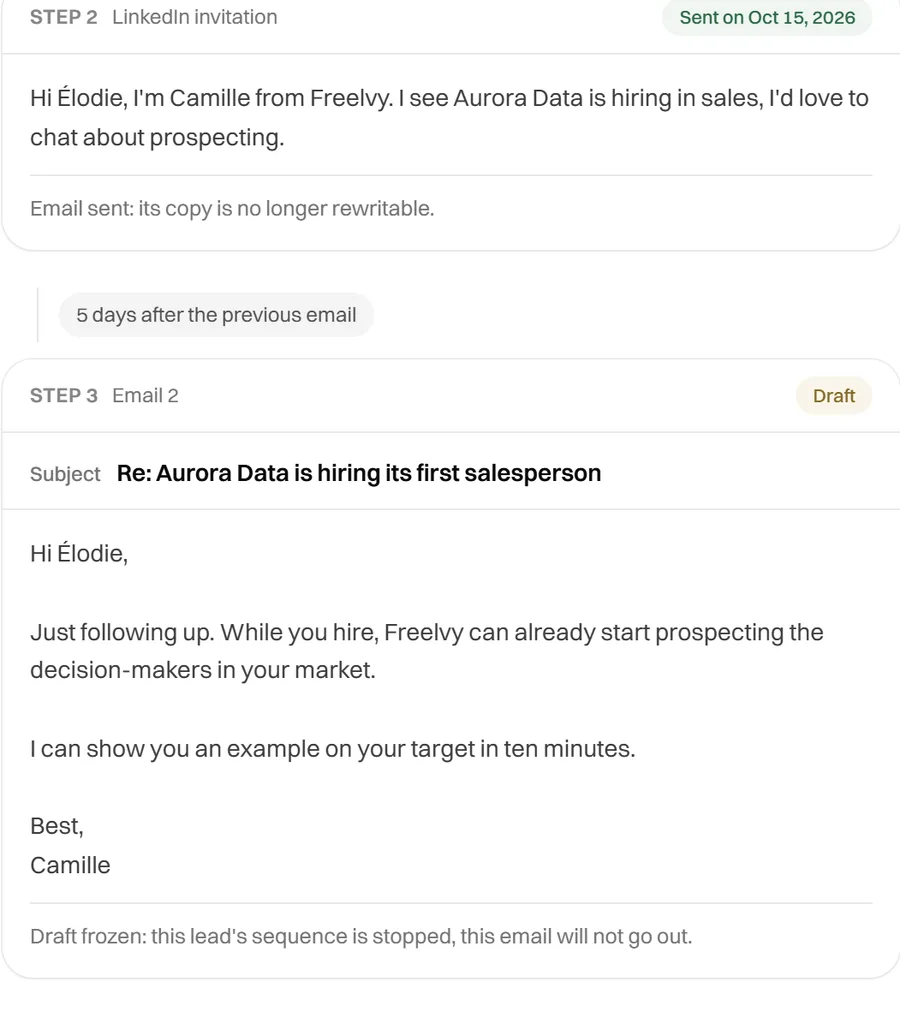
Review everything before it goes out
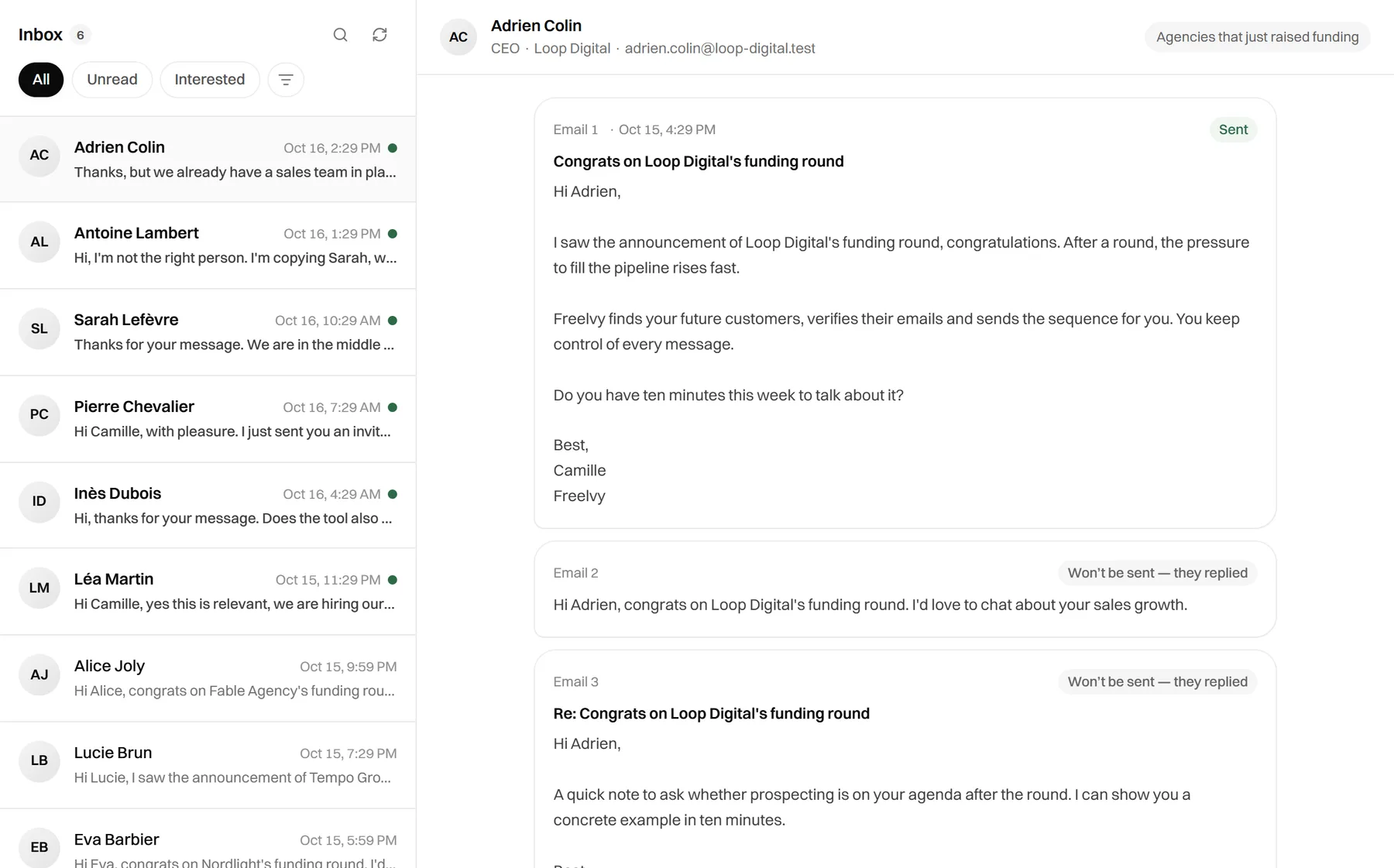
Replies to answer, emails to approve and signals to act on land in one list, most urgent first. One line, one action.
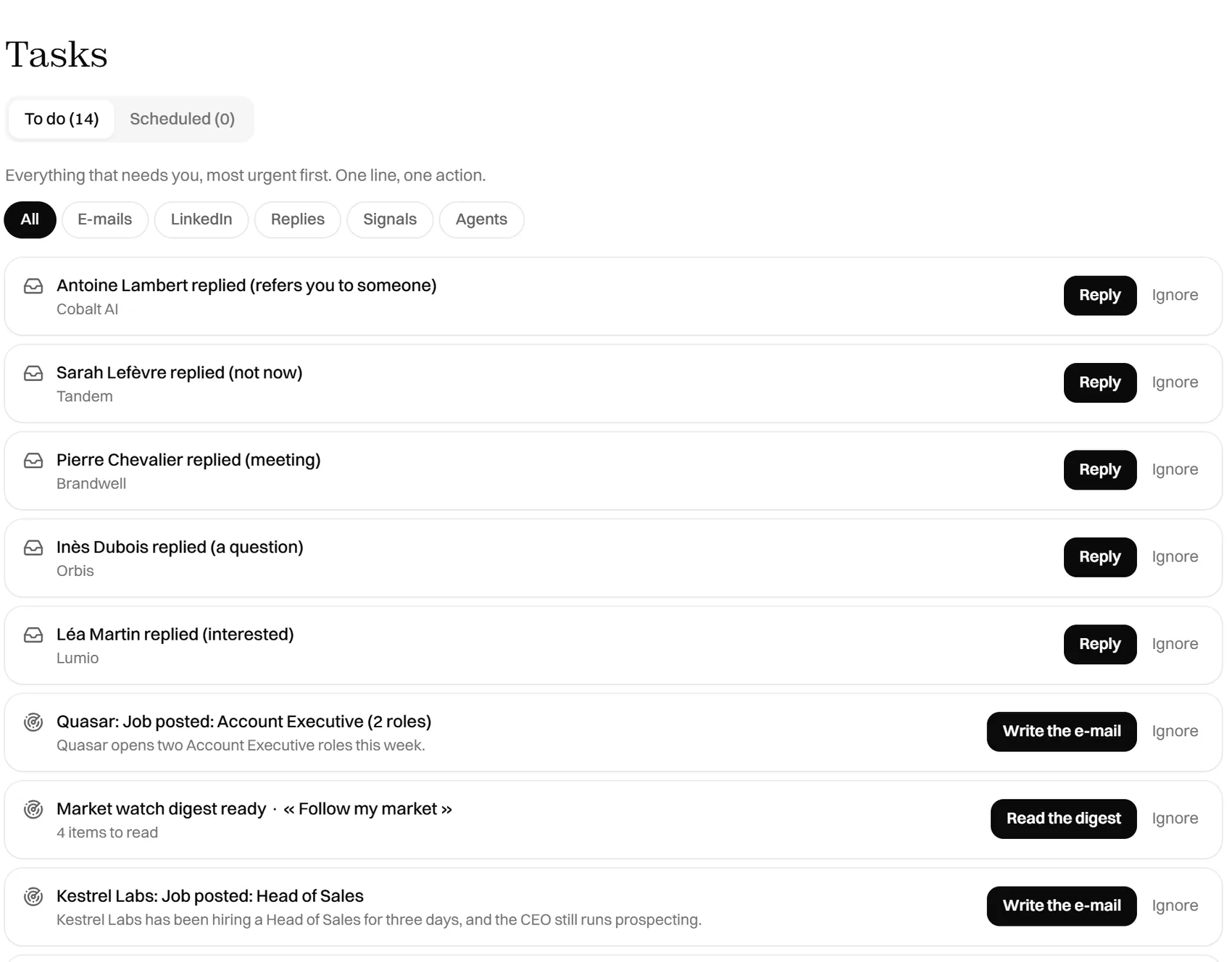
Replies sorted, sequences stopped
Every reply is classified automatically and the sequence stops for that contact. Interested, question, not now: you see who to answer first.
Sends from the accounts you already use
- HubSpot
- Salesforce
- Pipedrive
- Attio
- Gmail
- Outlook
Questions we get asked
Which channels can a sequence use?
Email and LinkedIn. A LinkedIn step can be an invitation, a message or a profile visit, and you can mix them with email steps in the same sequence.
Is every message really written for the lead?
Yes. Freelvy builds a profile of each prospect from their posts, press, job ads and website, and uses it to write the email and the LinkedIn message. Homonyms are excluded, and the profile is cached for 30 days.
Can I approve messages before they go out?
Yes. Every message can be reviewed in the Tasks tab, where you edit it or approve it before sending.
How do you protect my mailboxes?
You connect Gmail or Outlook with OAuth, or any mailbox with SMTP. New mailboxes ramp up gradually, and sending pauses automatically when bounces appear.
What happens when someone replies?
The reply is sorted automatically as interested, opt-out, out-of-office or bounce, and the sequence stops for that contact. Positive replies, notes and tasks can be pushed to HubSpot, Salesforce, Pipedrive or Attio.
7-day free trial · No credit card
From one prompt to pipeline
Describe the customer you want. Freelvy searches the live web, verifies every contact and writes the sequence, you approve the angle, then it sends on autopilot or waits for your go on each message.
GDPR compliant, DPA available